
See it, hear it
Three short videos. Every sound you hear is Chord Circuit itself, played exactly as you see it on screen.
Play in five steps
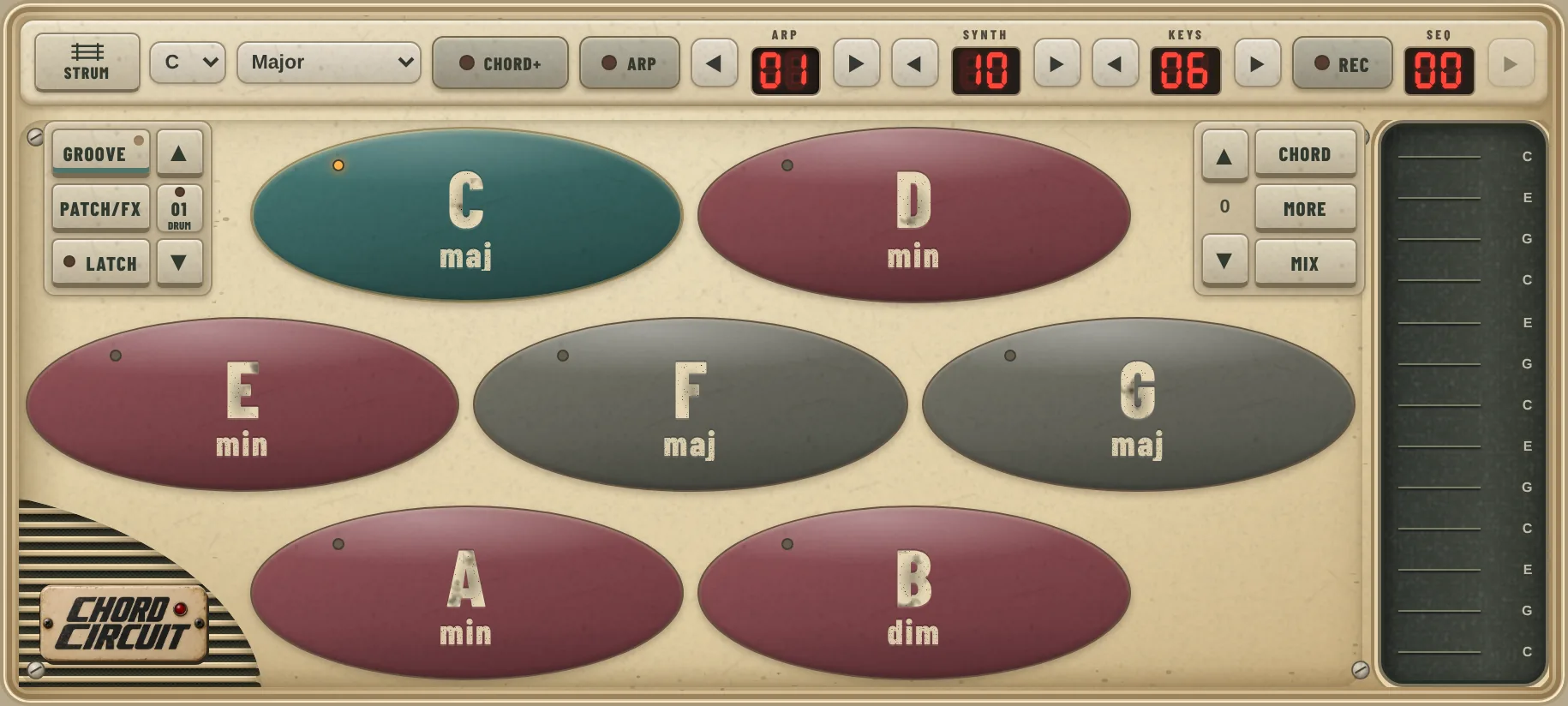
- Hold your phone sideways and pick a key and scale at the top. C Major is a good start.
- Tap a chord pad. Every pad fits the key, so nothing sounds wrong.
- Swipe the strings on the right to strum, or tap them one at a time for a melody.
- Turn on Latch so chords keep playing after you let go.
- Tap Groove and switch on Drums and Bass. Now try C → G → Am → F.
Guides
When you want more, each part of Chord Circuit has its own guide, with tips, a little music theory and things to try.
Screen, chords & keys
Every button on the main screen, keys and scales, Chord+ colours, the piano, chord density and inversions.
Open the guide →Groove
Drums, auto strum, the arpeggiator, bass lines, latch sync and Bass hold, plus ready-made grooves.
Open the guide →Sequencer
Record or drag in chords, save and name sequences, jam between them live and export MIDI.
Open the guide →Sound & FX
Synth, keys and bass sounds, FX presets, reverb, delay, tape, the mix and colour themes.
Open the guide →Help
Quick answers: crackling sound, no sound, saving your work, updates and tablets.
Get answers →Something not working? Email [email protected] with your phone model and what happened.